Why Use GPT Image 2 Online on Imagenter AI
A practical setup for real production work: text-to-image, multi-image editing with up to 16 refs, and resolution-tiered credits so you can pick speed or fidelity per run.
Up to 16 reference images per edit
Tiered pricing — 1K, 2K, or 4K
Near-perfect in-image text rendering
What is GPT Image 2?
GPT Image 2 is OpenAI's latest image generation model, with a December 2025 knowledge cutoff. On Imagenter AI, you can use it for text-to-image and image editing in a single workflow, with up to 16 reference images per edit and resolution-tiered pricing from 5 credits (1K) up to 4K output.
- OpenAI's latest image modelBuilt on top of a December 2025 knowledge cutoff, GPT Image 2 captures newer references and design conventions than earlier generations. Instruction following is more reliable across multi-part prompts and complex compositions.
- Multilingual glyph renderingIn-image text across Japanese, Korean, Chinese, Hindi, and Bengali renders with clean strokes and consistent spacing. Useful for localized creatives where other models mangle characters.
- More coherent hands, faces, and materialsTexture rendering, lighting, and fine detail on human subjects look more refined. Fewer obvious artifacts, better handling of hands, and more realistic material surfaces on products and fabrics.
Where GPT Image 2 Works Best
Common use cases our users hit: text-heavy designs, multilingual creatives, character consistency, and product visuals.
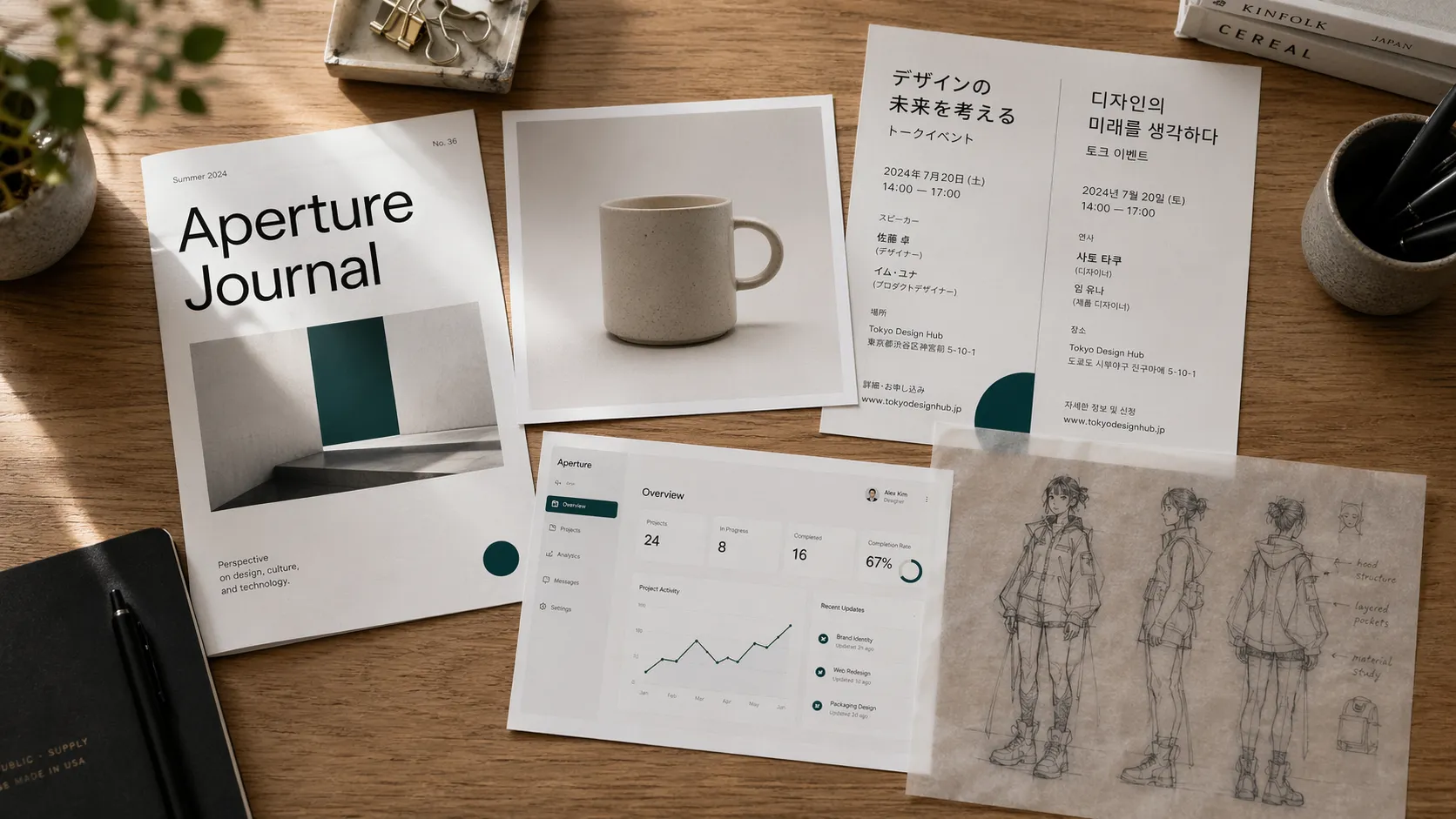
Text-heavy posters and event flyers
Put exact copy in quotes and get back headlines, subheads, and body text that actually read cleanly in both Latin and CJK scripts.
Multilingual social assets
Japanese, Korean, Chinese, Hindi, and Bengali posts where other image models mangle the characters. GPT Image 2 holds the glyphs together.
UI and app screenshots
Legible small labels, button copy, and status indicators for product pages, pitch decks, and App Store shots.
Brand-consistent product shots
Pack up to 16 reference images into a single edit to keep palette, material, and lighting stable across a product series.
Character sheets and turnarounds
Reference multiple poses at once to hold a character's face, build, and clothing across iterations instead of drifting.
Diagrams and infographic drafts
Typed labels, arrows, and structured layouts for architecture diagrams, process flows, and data explainers.
How to Use GPT Image 2 Online Here
Four steps that map directly to the generator controls on this page:
Key Features of GPT Image 2
Practical capabilities that make GPT Image 2 a strong pick for production work:
Text-to-image and image editing in one flow
Generate from scratch or edit with references in the same prompt-driven workflow. The generator routes automatically based on whether you upload images.
Up to 16 reference images
Bring more examples per run than GPT Image 1.5 allows. Good for character turnarounds, brand assets, and identity consistency across a series.
Near-perfect in-image text
99%+ glyph accuracy for English, with strong CJK. The first OpenAI image model where small-point poster text is trustworthy.
Multilingual prompts and outputs
Japanese, Korean, Chinese, Hindi, and Bengali text renders cleanly in image. Prompt in your language and get the glyphs right.
Aspect ratio dropdown
Control output shape with a native dropdown — 16 ratios from auto and 1:1 to ultra-wide 21:9 and 3:1 or ultra-tall 9:21 and 1:3, all one click away.
Tiered pricing by resolution
Pick the fidelity you need: 5 credits for 1K, 8 for 2K, 12 for 4K. Predictable per-resolution cost — no surcharge for prompt length or 16-ref edits.
GPT Image 2 FAQ
Quick answers on pricing, modes, and how to get the most out of GPT Image 2 on Imagenter AI.
What is GPT Image 2?
GPT Image 2 is OpenAI's latest image generation model, released with a December 2025 knowledge cutoff. It improves on GPT Image 1.5 with sharper in-image text rendering, stronger multilingual glyphs (Japanese, Korean, Chinese, Hindi, Bengali), and more coherent hands, faces, and materials.
Is there a GPT Image 2 free trial?
Yes. New accounts on Imagenter AI get free trial credits on signup, which is enough to try GPT Image 2 before deciding to top up. Generations start at 5 credits (1K), so the trial gets you several runs to evaluate output quality before deciding whether to spend on 2K or 4K.
Do I need ChatGPT Plus to use GPT Image 2?
No. GPT Image 2 on this page runs through our own billing, with no ChatGPT Plus or Pro subscription required. Pay per image with credits, no monthly commitment.
GPT Image 2 vs GPT Image 1.5 — what's new?
Three practical changes: (1) you can attach up to 16 reference images per edit instead of 10, (2) in-image text rendering is noticeably sharper for both English and CJK scripts, and (3) output now goes up to 4K — pricing is tiered at 5 / 8 / 12 credits for 1K / 2K / 4K.
How many reference images can I attach per edit?
Up to 16. Attach 0 refs and the generator runs in text-to-image mode; attach 1 to 16 and it switches to image editing. More refs help when you're keeping identity, brand colors, or style consistent across outputs.
How much does one GPT Image 2 generation cost?
Pricing is tiered by output resolution: 5 credits for 1K, 8 for 2K, and 12 for 4K. Prompt length and the number of reference images do not affect cost. Note: the 5:4, 4:5, 3:1, 1:3, and 9:21 aspect ratios are available at 1K only.
What do I do if GPT Image 2 refuses my request?
GPT Image 2 declines prompts that reference copyrighted characters, public figures, or branded content. If yours gets blocked, try Seedream 5 Lite. It has a more permissive content policy and will take prompts GPT Image 2 won't.
How do I control aspect ratio with GPT Image 2 online?
Pick one from the Aspect Ratio dropdown in the generator panel — 16 options: auto, 1:1, 3:2, 2:3, 4:3, 3:4, 16:9, 9:16, 2:1, 1:2, 3:1, 1:3, 21:9, 9:21, 5:4, and 4:5. The default is auto, which lets the model pick a ratio that fits the scene.