MiniMax H3 Image — Open-Weights 4K Image Generation and Editing, Online
MiniMax's open-weights image model, hosted and ready in your browser. H3 Image generates from a prompt at up to 4K (about 16 megapixels) and edits a picture using up to 8 more images as references. No weights to download and no GPU to rent. From 6 credits per image, free credits on signup.
What Native 4K Looks Like
One MiniMax H3 Image result at 4K, 5472 × 3072 pixels, from a prompt asking for a watchmaker's workbench with dozens of tiny gears and screws on green felt. The second picture is a 1600-pixel-wide piece of the same file at full size, not an upscale.
The whole 4K frame, scaled down to fit
A crop at 100%: felt fibres and screw threads
Edit One Thing and Keep the Rest
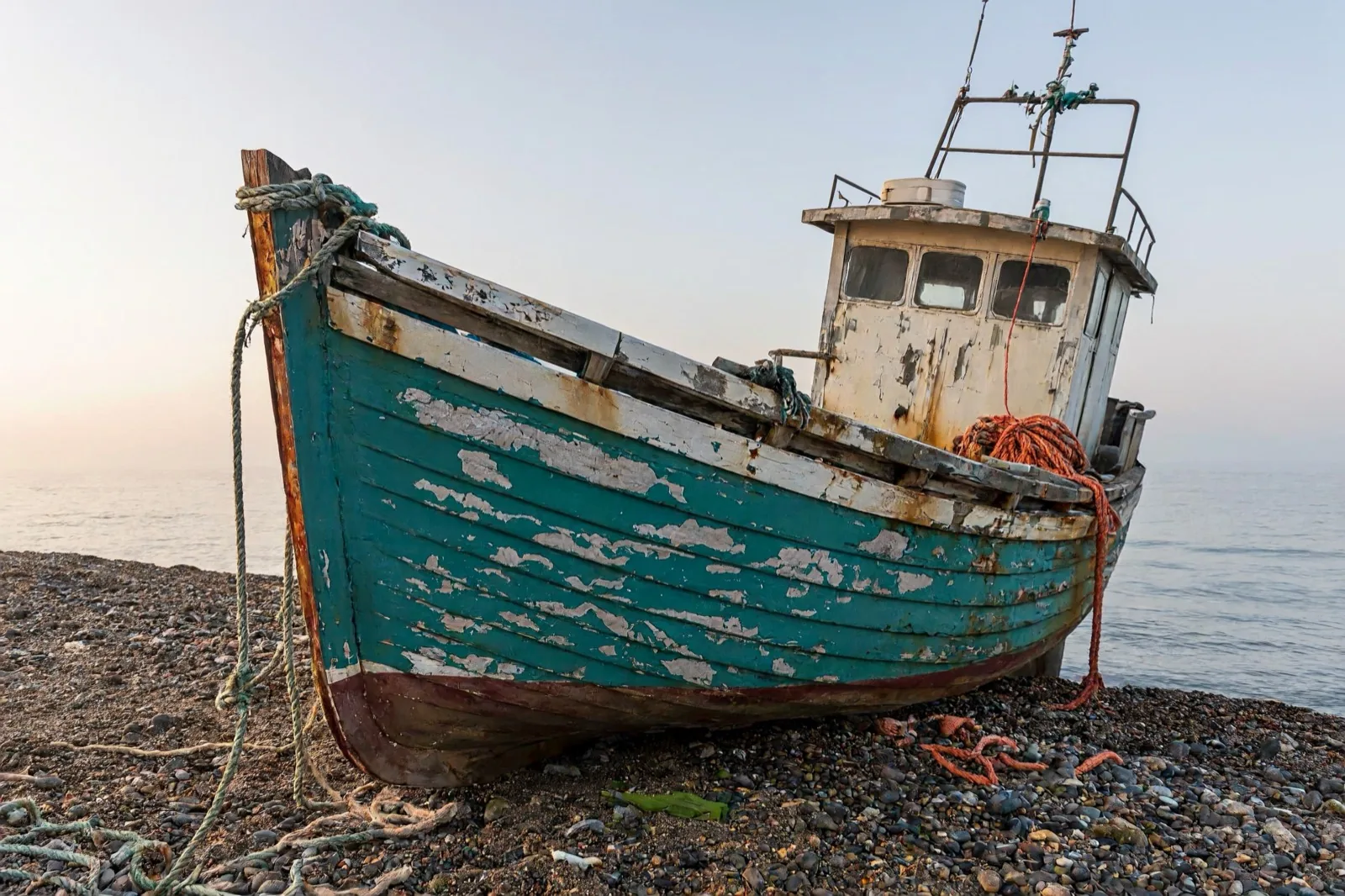
The edit prompt was "Repaint the boat in <Picture 1> deep red and leave the beach, the rope and the light exactly as they are". The hull and cabin changed colour; the pebbles, the mist and the coiled rope did not move.
Before: generated from a text prompt
After: only the paint changed
Combine Several Images in One Edit
Upload more than one picture and refer to them by number. Here the prompt was "Dress the woman in <Picture 1> in the jacket from <Picture 2>, worn open over her white t-shirt. Keep her face, hair, glasses, pose and the greenhouse unchanged."
Picture 1: the person
Picture 2: the jacket
Result: same person, wearing the jacket
What Is MiniMax H3 Image?
MiniMax H3 Image is the image model MiniMax released in November 2026 together with its weights. It is a 33.1-billion-parameter diffusion transformer that handles text to image and image editing in one model, built to make 16-megapixel output practical. It is a separate model from MiniMax H3, which generates video.
Open weights, hosted for you
The transformer weights alone are about 69 GB. This page runs the open-weights release on hosted GPUs, so you only need a browser.
Native 4K output
Five size tiers from 1K to 4K in 15 aspect ratios, from 1:3 to 3:1. At 4K a 16:9 image is 5472 × 3072 pixels, enough to crop hard or print large.
Multi-image editing
Edit one image and bring in up to 8 more as references for a person, an outfit, a product or a style.
Lettering, Portraits and Illustration
Three more MiniMax H3 Image results at 2K. Each came from the prompt as written, with no prompt rewriting.
Text That Is Spelled Right
Skin and Hair With Texture
Painted Styles Too
MiniMax H3 Image Pricing
Credits per image by output size. Each extra reference image in an edit adds 3 credits.
| Size | Pixels | Text to image | Edit one image |
|---|---|---|---|
| 1K | About 1 MP | 6 credits | 9 credits |
| 1.5K | About 2.4 MP | 9 credits | 14 credits |
| 2K | About 4 MP | 12 credits | 18 credits |
| 3K | About 9.4 MP | 24 credits | 36 credits |
| 4K | About 16.8 MP | 36 credits | 54 credits |
MiniMax H3 Image vs Seedream 5.5 and GPT Image 2.6
All three run on Imagenter AI. Here is how they differ.
| MiniMax H3 Image | Seedream 5.5 | GPT Image 2.6 | |
|---|---|---|---|
| Largest output | 4K (about 16.8 MP) | 2K | 4K |
| Text to image from | 6 credits (1K) | 6 credits (1K) | 7 credits (1K, low quality) |
| Text to image at 4K | 36 credits | Not available | 23 to 193 credits by quality |
| Images per edit | Up to 9 | Up to 10 | Up to 16 |
| Also does | Open weights you can self-host | Transparent backgrounds | Animated GIFs, transparent backgrounds at 1K |
Want video with sound from the same family? Try MiniMax H3.
How to Use MiniMax H3 Image Online
MiniMax H3 Image runs in the generator at the top of this page, with a Generate tab for text to image and an Edit tab for working from your own pictures.
MiniMax H3 Image Questions
What is MiniMax H3 Image?
It is MiniMax's image generation and editing model, released in November 2026 with open weights. It makes images from text, edits existing images from instructions, and is designed for output of about 16 megapixels.
Is MiniMax H3 Image free to use?
You can try it without paying. Signing up costs nothing and comes with free trial credits, enough for about 6 MiniMax H3 Image images at 1K (6 credits each) or 1 at 4K. After that, credit packs start at $10 for 1,000 credits, with no subscription requirement and no API key to set up.
How much does MiniMax H3 Image cost here?
Text to image costs 6 credits at 1K, 9 credits at 1.5K, 12 credits at 2K, 24 credits at 3K, 36 credits at 4K. Editing one image costs 9 at 1K, 14 at 1.5K, 18 at 2K, 36 at 3K, 54 at 4K. Each extra reference image adds 3 credits.
Is MiniMax H3 Image open source?
The weights are public on Hugging Face under the MiniMax-H3-Image Community License Agreement. That is an open-weights release with its own terms, not a standard open-source licence, so read it before you self-host or use the weights commercially. Using the model on this page needs no download.
Do I need a GPU or the weights to use it?
No. The model runs on hosted hardware and you use it from the browser. Running it yourself means downloading the transformer weights, about 69 GB, and providing your own GPUs.
Which version of H3 Image runs on this page?
The open-weights release, hosted. It outputs 1K, 1.5K, 2K, 3K or 4K and accepts up to 9 images per edit. MiniMax's own API is a separate service with its own limits; MiniMax says it accepts up to 16 reference images.
How do I refer to my images when editing?
By number, in the order you uploaded them: <Picture 1>, <Picture 2> and so on. The first image is the one being edited and sets the output shape unless you choose an aspect ratio.
What is the difference between MiniMax H3 and MiniMax H3 Image?
MiniMax H3 generates video with sound. MiniMax H3 Image generates and edits still images. They are separate models, and both are available on Imagenter AI.
MiniMax H3 Image vs Seedream 5.5: which should I use?
Both cost 6 credits for a 1K image and offer the same 15 aspect ratios. MiniMax H3 Image goes up to 4K (36 credits) and takes up to 9 images per edit, while Seedream 5.5 stops at 2K, costs 11 credits there against 12, and adds transparent backgrounds. Choose MiniMax H3 Image for 3K or 4K output, and Seedream 5.5 for 2K work and cutouts.